From your previous app
Export OPML from your current podcast app—without searching and adding shows one by one.
zzz Podcasts: sleep timer with optional volume fade, night listening analysis, CarPlay with a daytime queue—plus chapters and transcripts stored on your device.
Little effort to switch—clear value for sleep and daytime listening.
Part of aurarum – apps with one clear job. Our approach
Little to do
Move your existing podcast subscriptions in a few steps. The assistant guides export and import—then you set up sleep and daytime queues.
Export OPML from your current podcast app—without searching and adding shows one by one.
Open or share the file: the assistant preselects your podcasts. Deselect what you don’t want—then import the rest.
Mark shows for falling asleep, set the sleep timer—and use the non-sleep queue in CarPlay. See more
Why zzz Podcasts
Many podcast apps mix everything in one list. zzz Podcasts separates sleep and daytime listening—and keeps transcripts and analysis on your device.
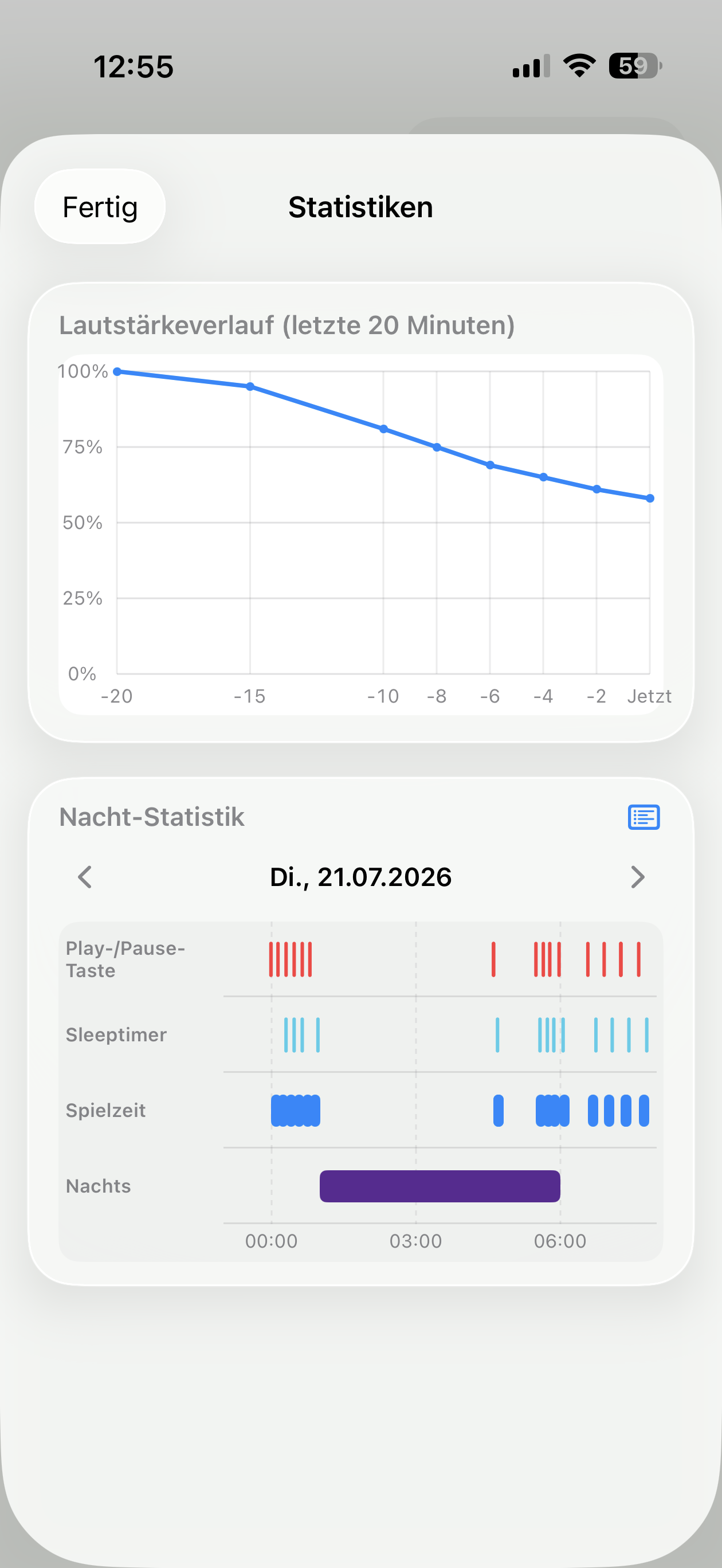
Sleep timer, optional volume fade, sleep podcasts, and night statistics—so you can see how the night went.
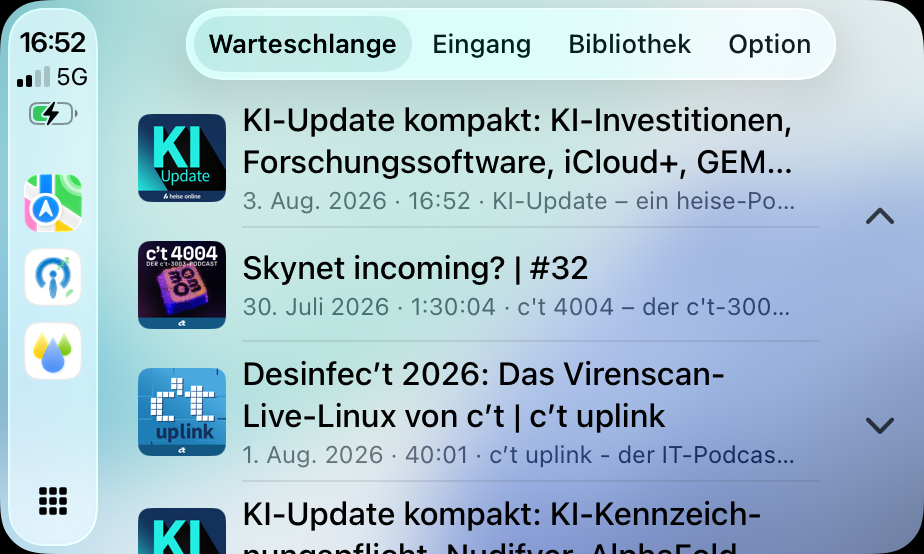
CarPlay with queue, inbox, and library—quickly play shows that aren’t meant for sleep.
On-device transcripts for downloaded episodes; optional iCloud for metadata only—no aurarum account.
At a glance
Not a ranking—just traits compared with many large podcast clients.
| Trait | zzz Podcasts | Many podcast apps |
|---|---|---|
| Sleep timer with volume fade | Yes – adjustable | Sometimes a timer, rarely a gentle fade |
| Night listening analysis | Yes – timeline & volume history | Rare |
| Sleep vs. daytime queue | Yes – including CarPlay filters | Often one mixed queue |
| Chapters without chapter markers | Yes – from shownotes | Usually only when markers exist in the feed |
| On-device transcripts | Yes – for offline episodes | Often cloud-based or missing |
| Import from other podcast apps | Yes – OPML with selection | Sometimes, often without a guided flow |
What’s inside
Sleep timer, night stats, and CarPlay—with screenshots from zzz Podcasts.
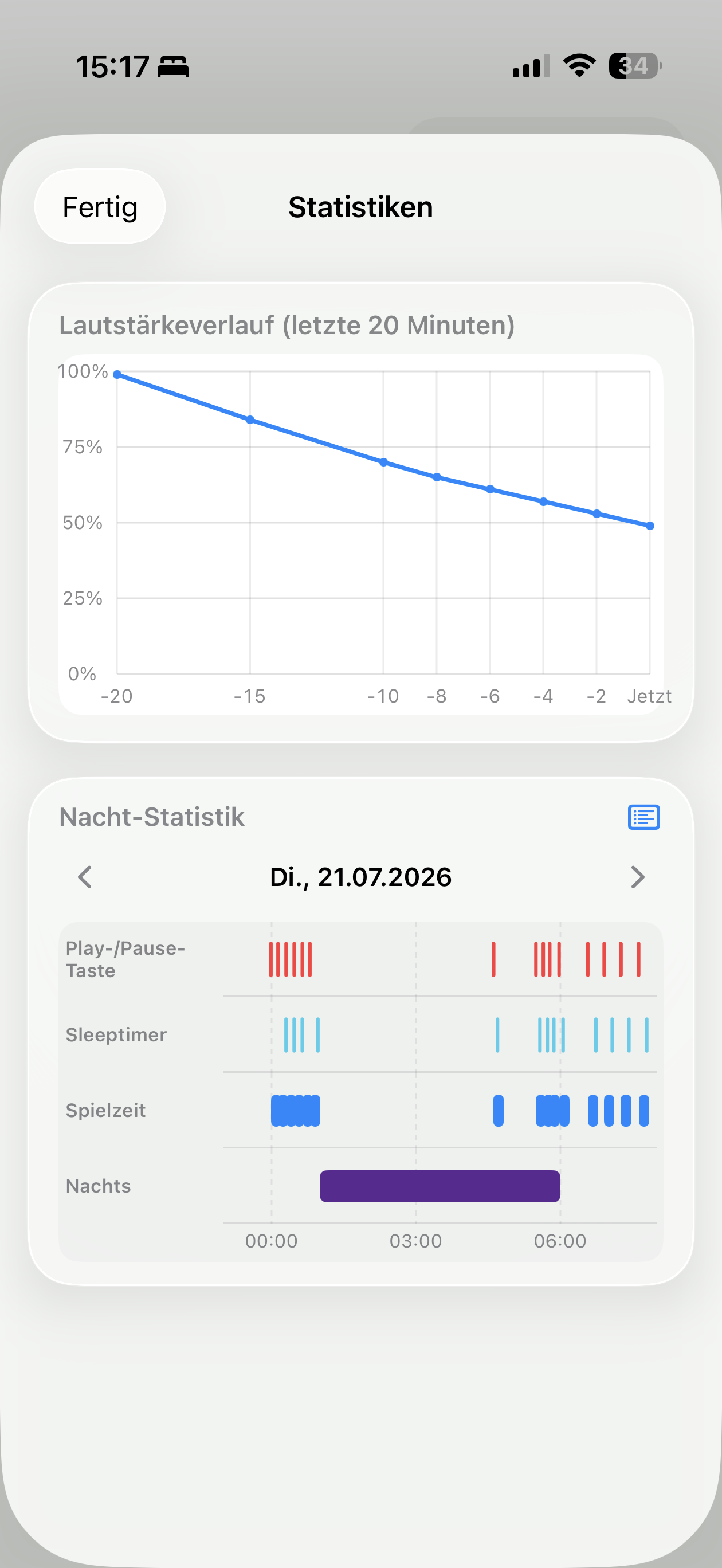
See play/pause, sleep timer, and playtime for the night—day by day.
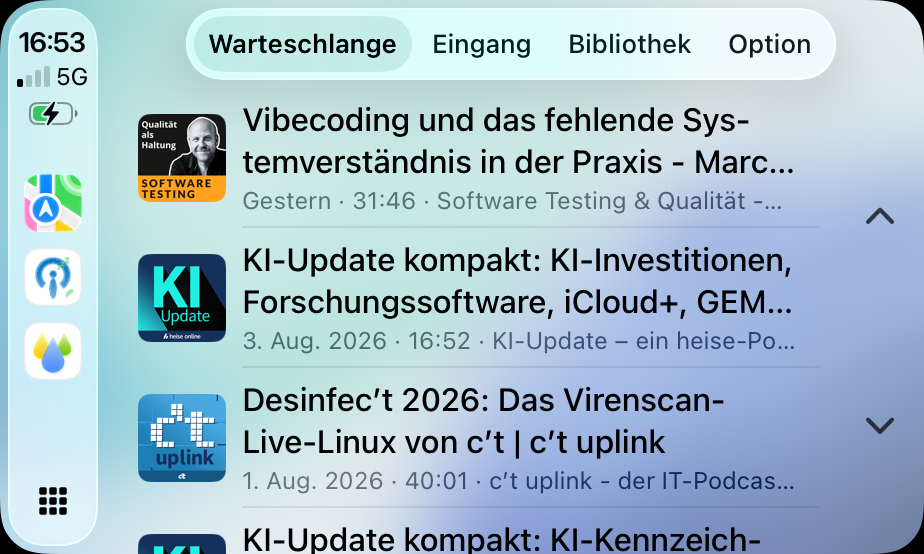
On the road, jump into queue, inbox, and library—focused on episodes not meant for sleep.
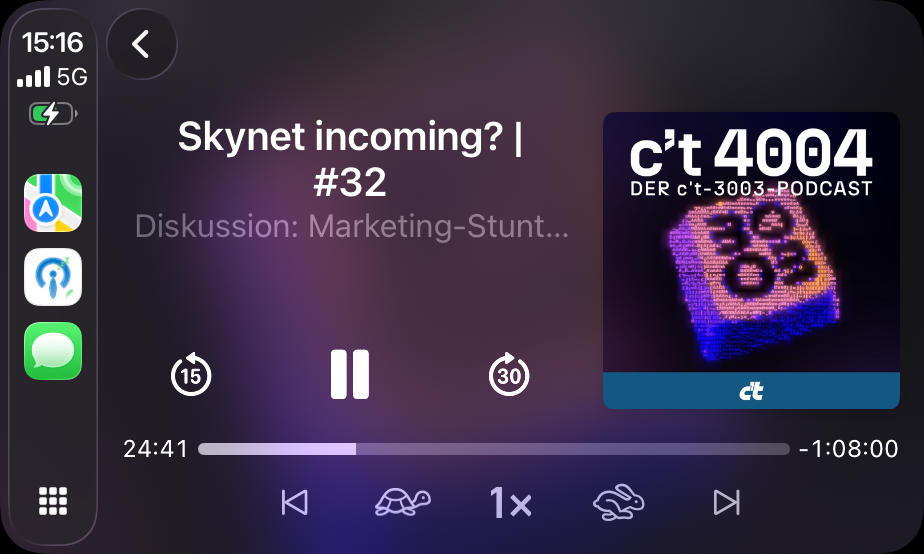
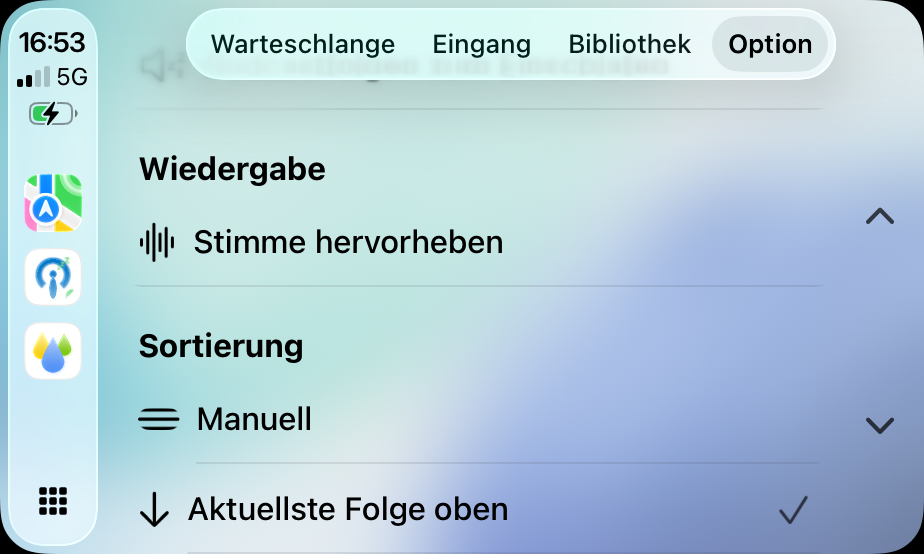
Queue, Now Playing, and options—clearly separate from the sleep flow.
Set a timer, optionally fade volume linearly—and review what happened overnight.
More features
A selection of what the app offers—details are in zzz Podcasts on iPhone or iPad.
Pick a duration and optionally fade volume linearly during sleep time—down to your target.
Play/pause, sleep timer, and playtime as a timeline—plus volume history for recent minutes.
Mark shows for sleep; Focus filters can dim artwork and limit the queue to sleep podcasts.
Queue, inbox, and library in the car—ideal for episodes not meant for falling asleep.
Use chapter markers—and derive chapters from shownotes when markers are missing.
On-device transcription and summaries for downloaded episodes—processing stays on your device.
Download episodes; import and export your library via OPML—your subscriptions stay under your control.
Now Playing widget on the Home Screen—with a quick path back into the app.
FAQ
Short answers on import, sleep, CarPlay, and transcripts.
Export an OPML file from your previous app and open it in zzz Podcasts. The assistant preselects podcasts—you can exclude some and import the rest.
On device, for downloaded episodes, using iOS speech recognition. There is no separate server transcription as a core feature.
No. Without iCloud, subscriptions and the queue stay local. With sync, metadata syncs via your iCloud account—audio files are not uploaded.
Mark shows as sleep podcasts and use filters or Focus settings. In CarPlay you quickly reach the queue for episodes not meant for sleep.
If the feed provides markers, the app uses them. If not, zzz Podcasts can derive chapters from shownotes when timestamps are present.
No. zzz Podcasts is an independent client by aurarum for public RSS feeds and is not part of Apple.
Bring subscriptions from other podcast apps with the assistant—then use sleep, night analysis, and CarPlay clearly separated. On your iPhone and iPad.
Review import again