New subscription from a document
Scan or share an email, scanned contract, attachment, or subscription notification (e.g. App Store). AI analyzes it and creates a draft—usually only small corrections are needed.

SimSubs: Add new subscriptions easily via scan and AI, import from previous apps in one or two steps—then reminders and statistics for costs and deadlines.
Little effort to get started—strong value for spending, subscriptions, and cancellation deadlines.
Part of aurarum – apps with one clear job. Our approach
Little to do
Two paths that take little effort: add a new subscription from a document with AI, or import your existing subscriptions. After that, reminders and statistics keep you on top.
Scan or share an email, scanned contract, attachment, or subscription notification (e.g. App Store). AI analyzes it and creates a draft—usually only small corrections are needed.
Export and import in one or two steps—your existing subscriptions land in SimSubs without retyping everything and without the Excel feel.
Rich reminders for cancellation deadlines and statistics that help you get spending and subscriptions under control. Learn more
Why SimSubs
Many subscription or contract apps demand extensive manual entry. SimSubs makes getting started easy and then delivers the overview: add new subscriptions with AI, bring your data, steer spending and deadlines—locally on your iPhone.
Documents and emails via scan or share—AI parses the details and creates a draft. Usually only small corrections are needed.
Import from existing subscription or contract apps in one or two steps—so you use SimSubs right away with your existing data.
Rich deadlines, reminders, and statistics—so you truly get spending and subscriptions under control.
At a glance
Not a ranking—just traits compared with other subscription and contract apps.
| Trait | SimSubs | Many subscription & contract apps |
|---|---|---|
| Capture without the Excel feel | Yes—clear and focused | Often extensive manual entry |
| Capture from documents, emails & notifications | Yes—AI analysis + draft | Sometimes |
| Import from existing subscription/contract apps | Yes—in a few steps | Sometimes limited or only manual |
| Cancellation windows & reminders | Yes—comprehensive | Sometimes, often without a clear subscription timeline |
| Statistics for spending & subscriptions | Yes—month, subscription, category | Sometimes limited |
| Apple Reminders integration | Optional | Rare |
What’s inside
Reminders, deadlines, and statistics that help you get spending and subscriptions under control—with screenshots from SimSubs.
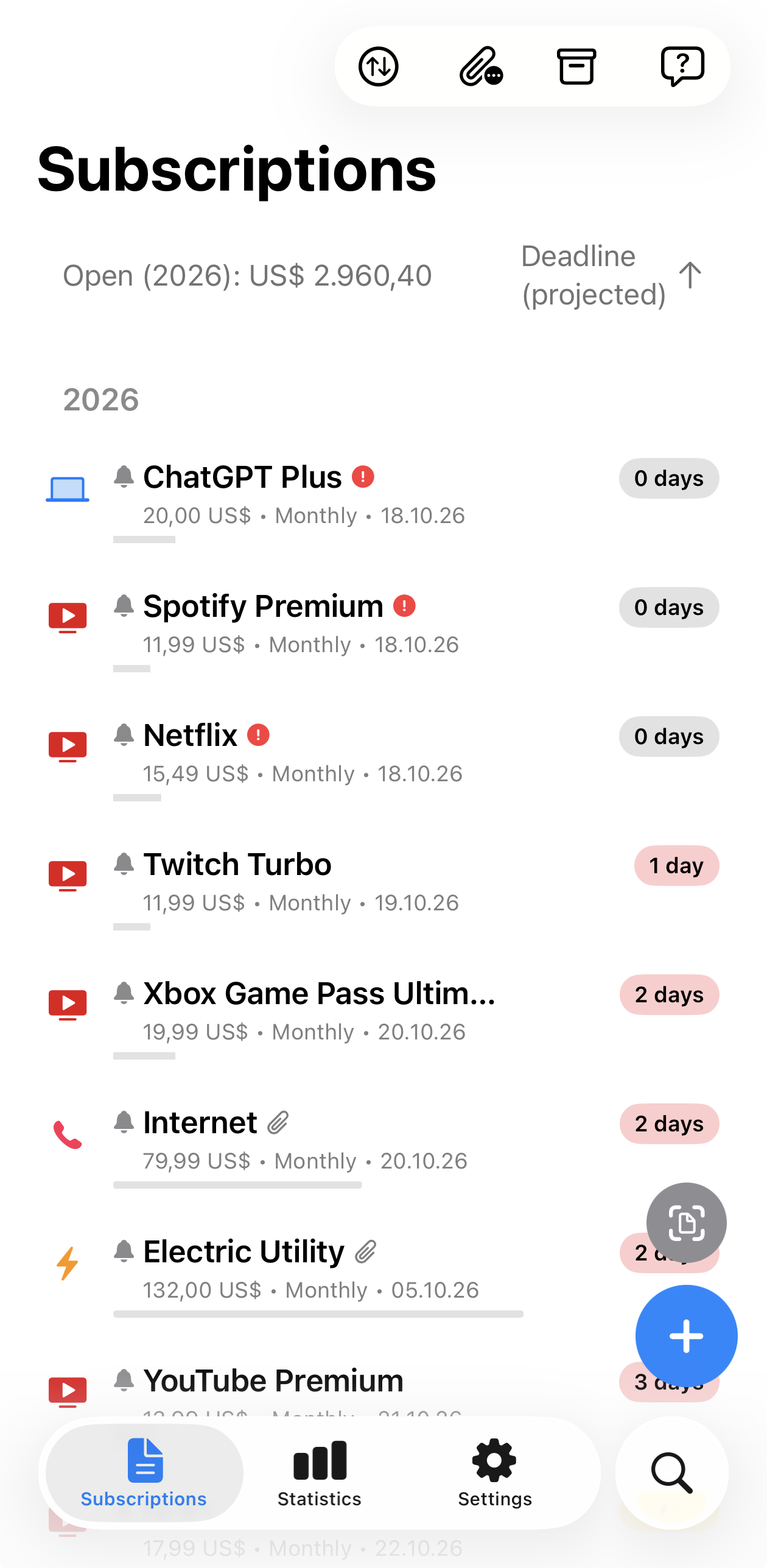
An overview of all subscriptions—with deadlines, costs, and quick access.
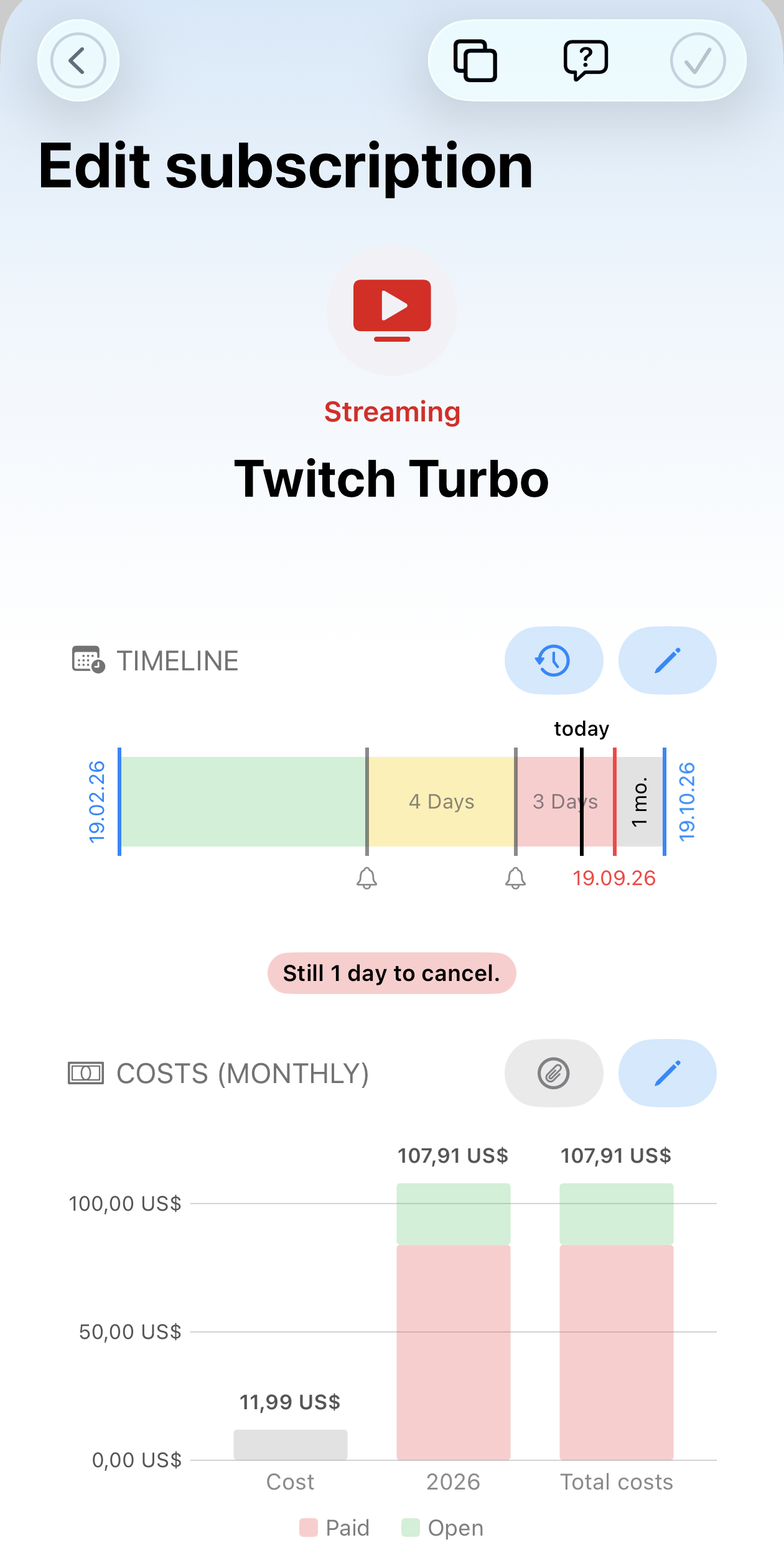
Each subscription with a timeline, cancellation window, and cost history—insight instead of guesswork.
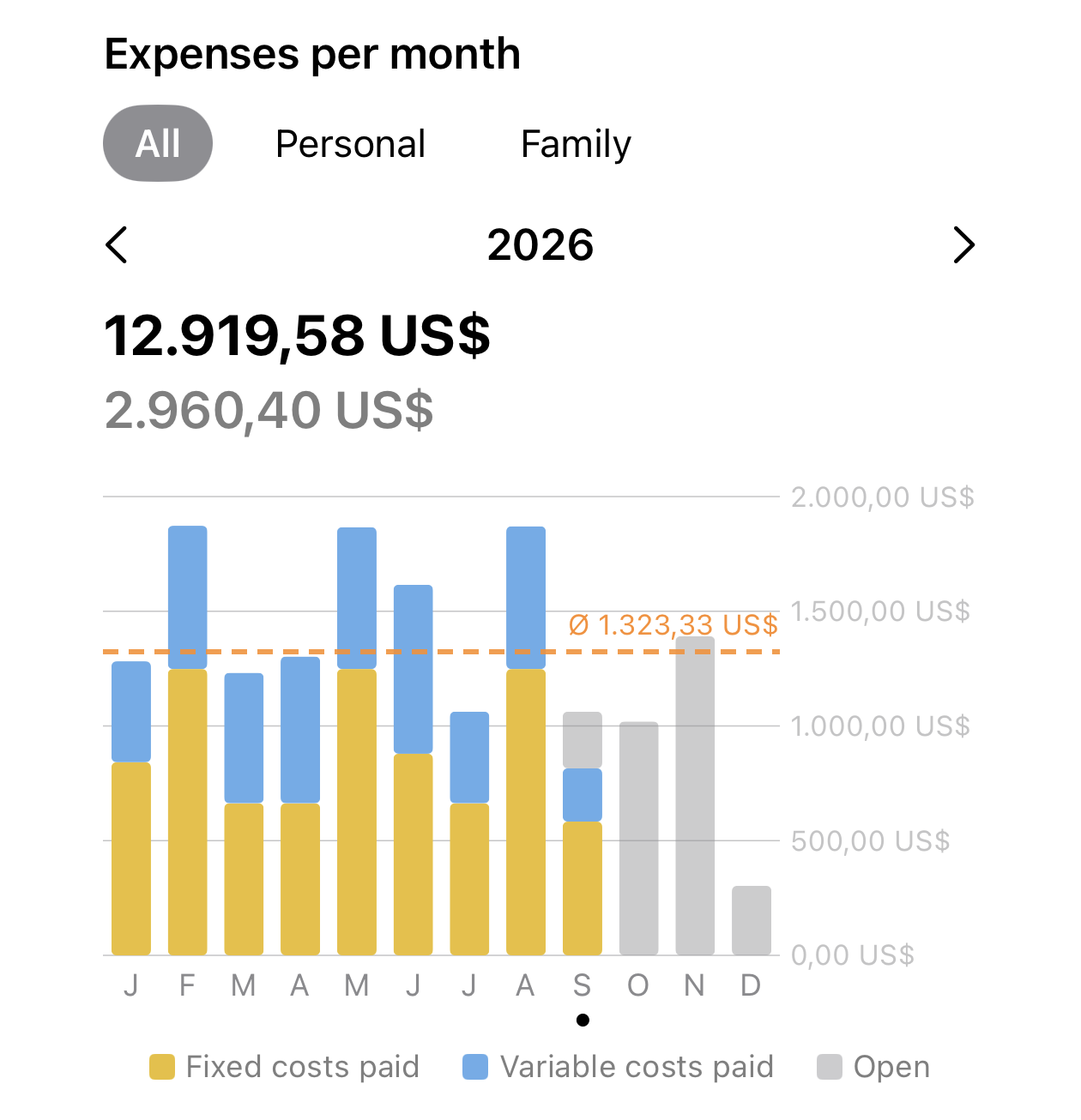
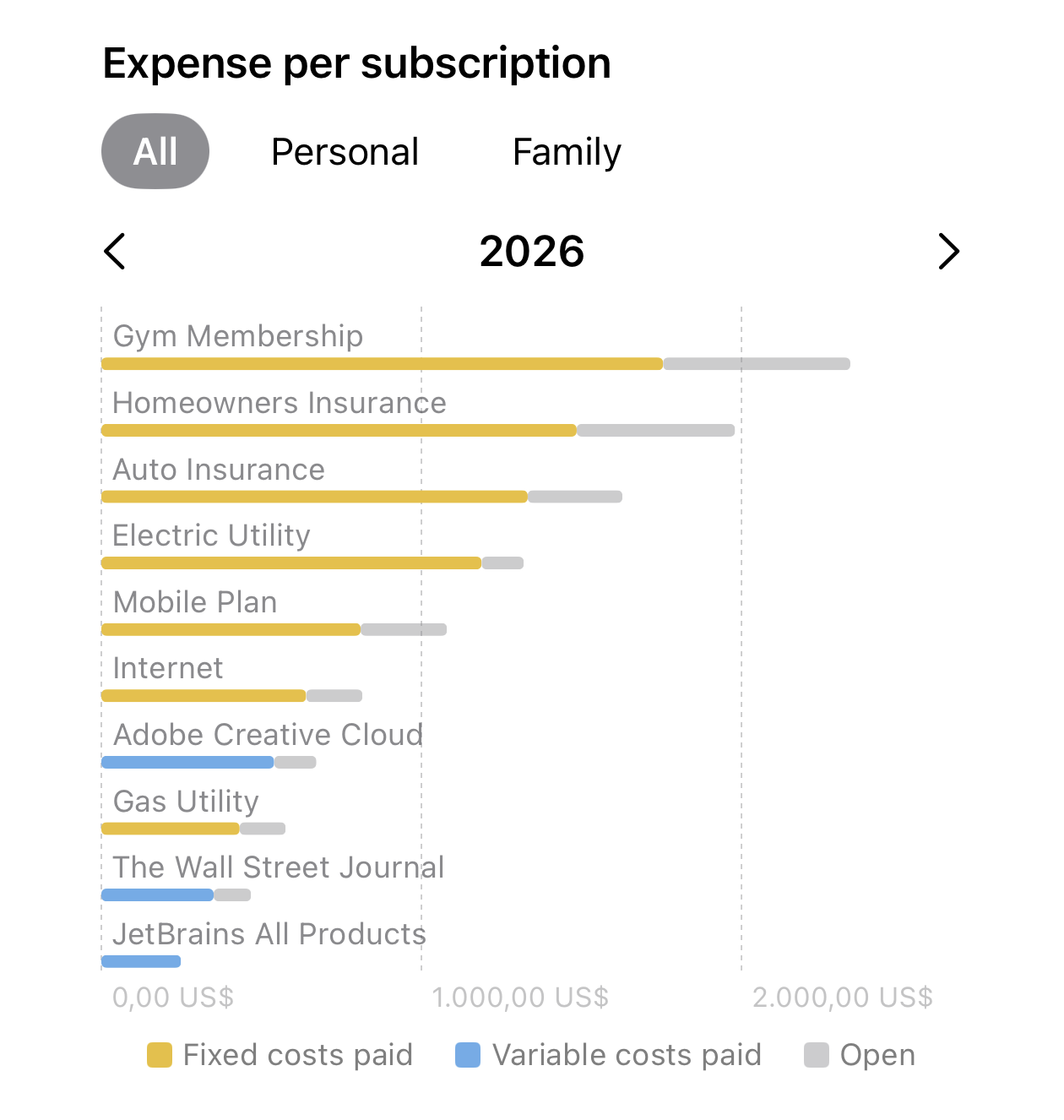
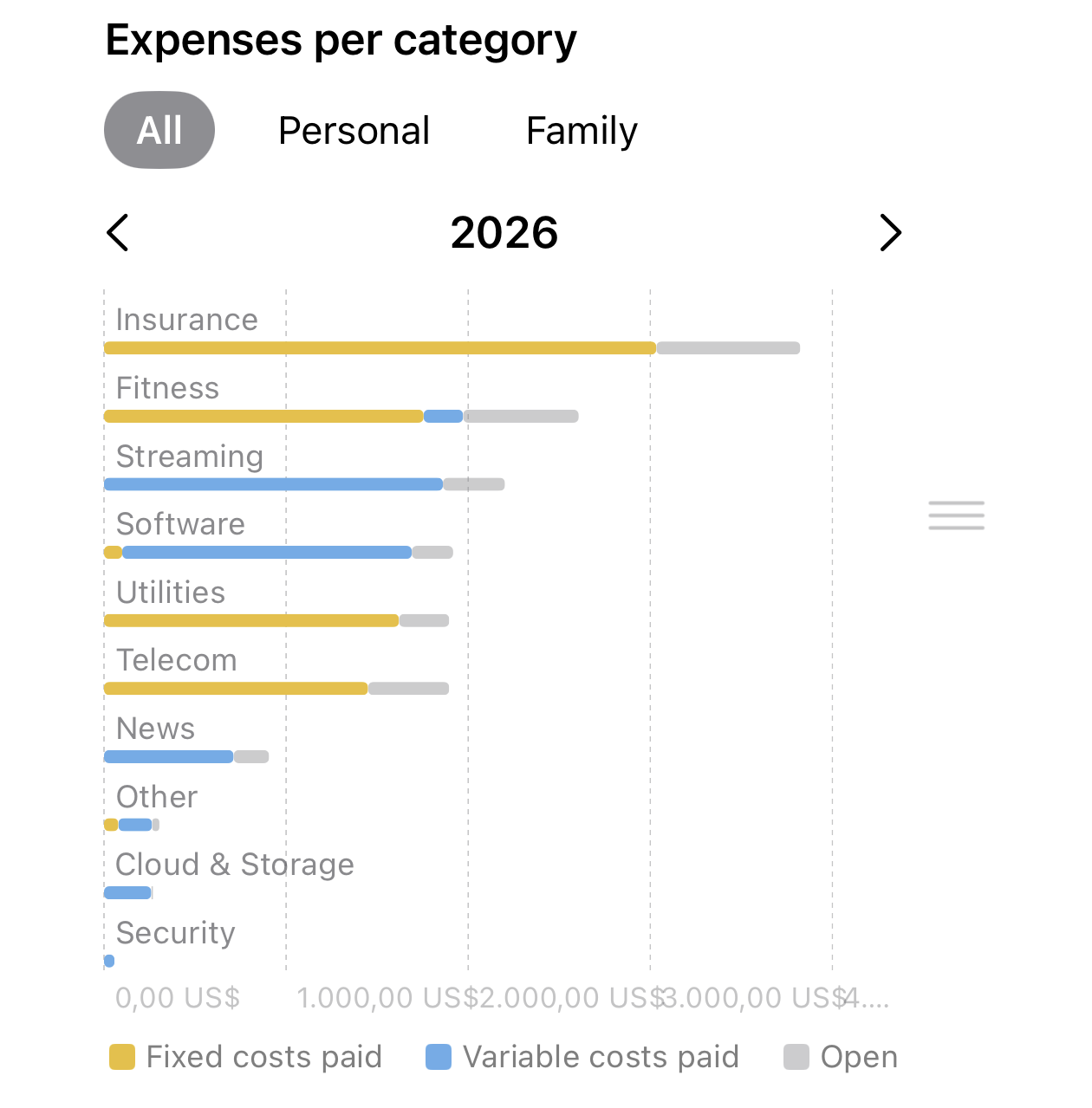
Rich statistics by month, subscription, and category—so you see where the money goes and can steer your subscriptions.
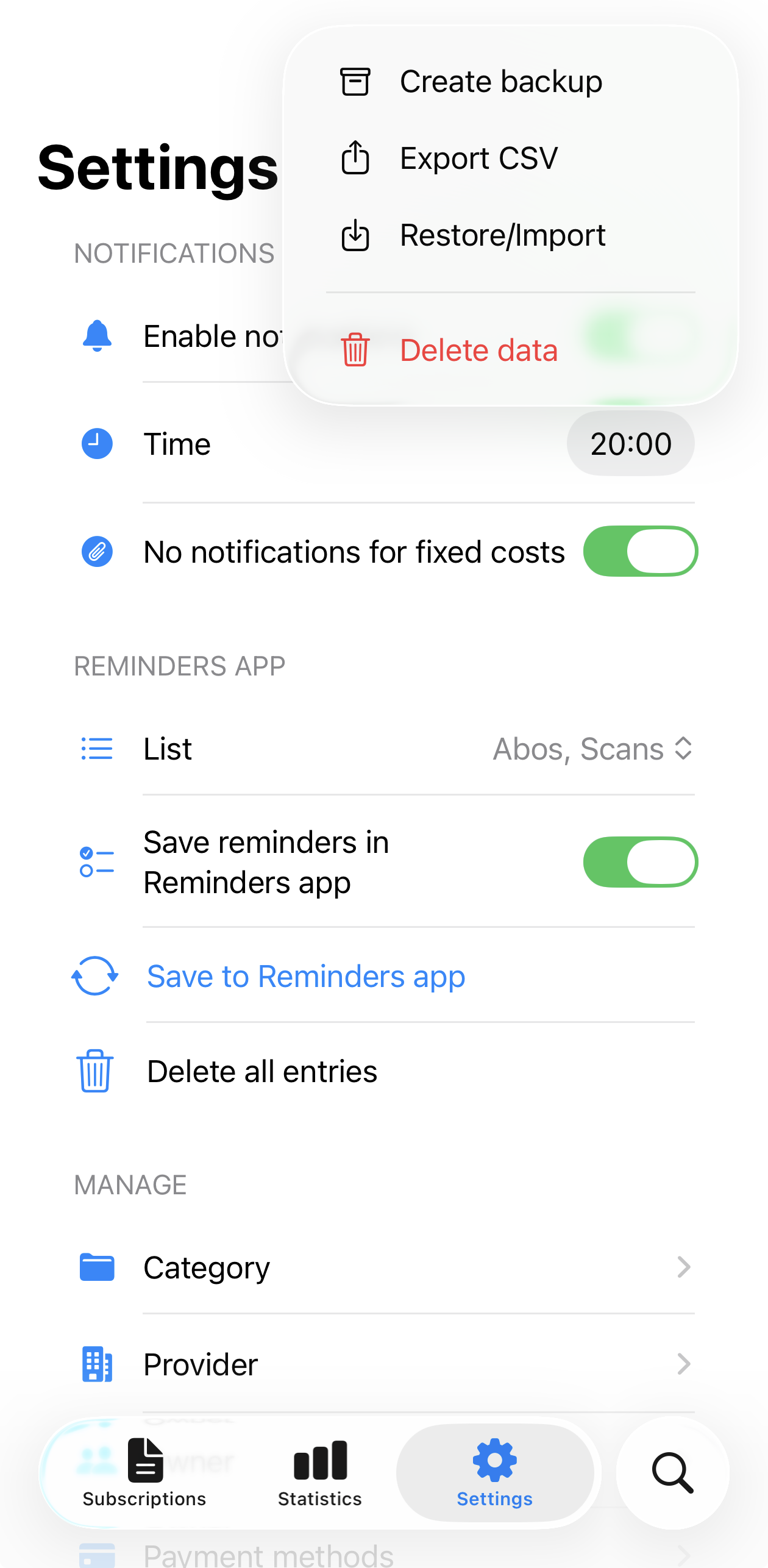
Rich reminders for cancellation deadlines, Apple Reminders, and backups—under your control.
More features
A sample of what the app offers—availability may depend on your iOS version; details are in the app.
Create subscriptions quickly without cumbersome forms; getting started stays short.
Keep spending in view by month, subscription, and category.
Back up your data automatically, without manual effort.
Start immediately; no aurarum account needed.
Reminders for due amounts and deadlines.
Alerts before a trial ends, so you can decide in time.
All subscriptions in one place instead of many lists and notes.
Deadlines, costs, and open amounts clearly visible before things get tight.
Amounts in different currencies; update rates in Settings.
FAQ
Short answers on AI capture, import, reminders, and backup.
The app stores subscriptions, attachments, and settings locally on your iPhone. No registration and no aurarum account are required. You create backups and CSV exports yourself in Settings; an automated cloud backup is optionally available.
You can scan or share emails, PDFs, scanned contracts, attachments, or subscription notifications (e.g. from the App Store) to SimSubs. AI analyzes the content and creates a draft—you review, correct if needed, and save only then.
Import from existing subscription or contract apps is usually only one or two steps away. You start with your existing data—without retyping everything. You will find the exact flow in the app under Import.
Reminders help you not miss cancellation deadlines and payments (including optional Apple Reminders and trial-subscription alerts). Statistics by month, subscription, and category show where the money goes—so you get spending and subscriptions under control.
Yes—backup including attachments, CSV export, and restore/import in Settings. Optionally, an automated cloud backup secures your data without manual effort. Your subscriptions stay under your control when you change devices.
Yes—the widget shows the next subscriptions you can cancel. Tapping opens that subscription in the app. Availability depends on your iOS version.
Add new subscriptions with AI, bring your data—then keep costs, subscriptions, and deadlines in view. Focused, on your iPhone.
Review import again